
Meccha Chameleon
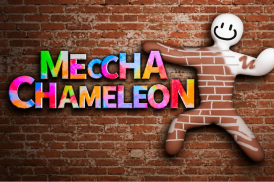
What is Meccha Chameleon?
Meccha Chameleon is an online hide and seek multiplayer game that features innovative camouflage gameplay mechanisms with team-based competition among interactive maps. In every round, the player is either placed as the Hider or as the Seeker.
This innovative game enables the players to paint themselves as a way of matching with the surroundings for camouflage purposes. Besides, multiple maps offer diverse colors, designs, and decorations to the environment.
Core Gameplay Mechanics and Features
Players on the teams of Hiders and Seekers are formed for each Meccha Chameleon multiplayer match. In turn, Hiders use paint and change colors of white characters to match color hues of walls, objects, floors and other decoration near them. In addition to that, proper positioning helps camouflaging as well as hiding until the timer goes to zero. Meanwhile, seekers check all stages and try to find every camouflaged player until the timer goes to zero. Each multiplayer match encourages observation, creativity and cooperation.
The paint system is key to the whole thing. Main gameplay mechanics are:
- Body painting for matching stage colors
- Posing for matching background shapes
- Stage geometry reading under time pressure
- Seeker lines of sight fooling through proper angles
- Timing before camouflaging and getting detected
Stages have unique visual environment that requires different camouflaging techniques. Flat-colored stage encourages fast painting, while patterned or textured one requires accurate one. Those who can read the stage and paint faster under time pressure will always do better than those who just rush.
Controls Guide and Keybinds
For making perfect costumes, one should know how to handle the controls properly. It is important to remember that in Meccha Chameleon, the player has to use a normal set of keyboard and mouse controls:
- WASD: Moves the player's character during preparations and allows him/her to move the camera while hunting when being a Seeker.
- Mouse Look: Camera control. Set low sensitivity if playing as a Seeker since one needs to examine walls without overcorrecting.
- F: Opens and closes paint menu (Meccha Paint system).
- Left Mouse Button: Applies paint within the paint menu, confirms a tag of a suspected Hider as Seeker.
- Eyedropper / Spoid: Samples a color of a surface from the environment within the paint menu.
- Middle Mouse Button: Rotates the camera around the character when painting from Seeker's point of view.
- R: Opens the pose menu (poses include standing, crouching, curling, wall-flat, and others).
- Spacebar: While wall-stuck, moves the player up on the surface to align with pictures or shelf edges.
- Ctrl: Crouches; while wall-stuck, moves the player down on the surface.
- 1: Taunt (creates a whistling noise, Seeker feature).
- 2: Toggles nameplates (Seeker feature).
- 3: Toggles the see-through drawing view, which highlights painted players in the clutter (Seeker feature).
- T: Chat with lobby using text message.
- Esc: Opens Settings where keybinds and audio can be configured.

0 Game Comments